

FM groovebox
BlastBeats
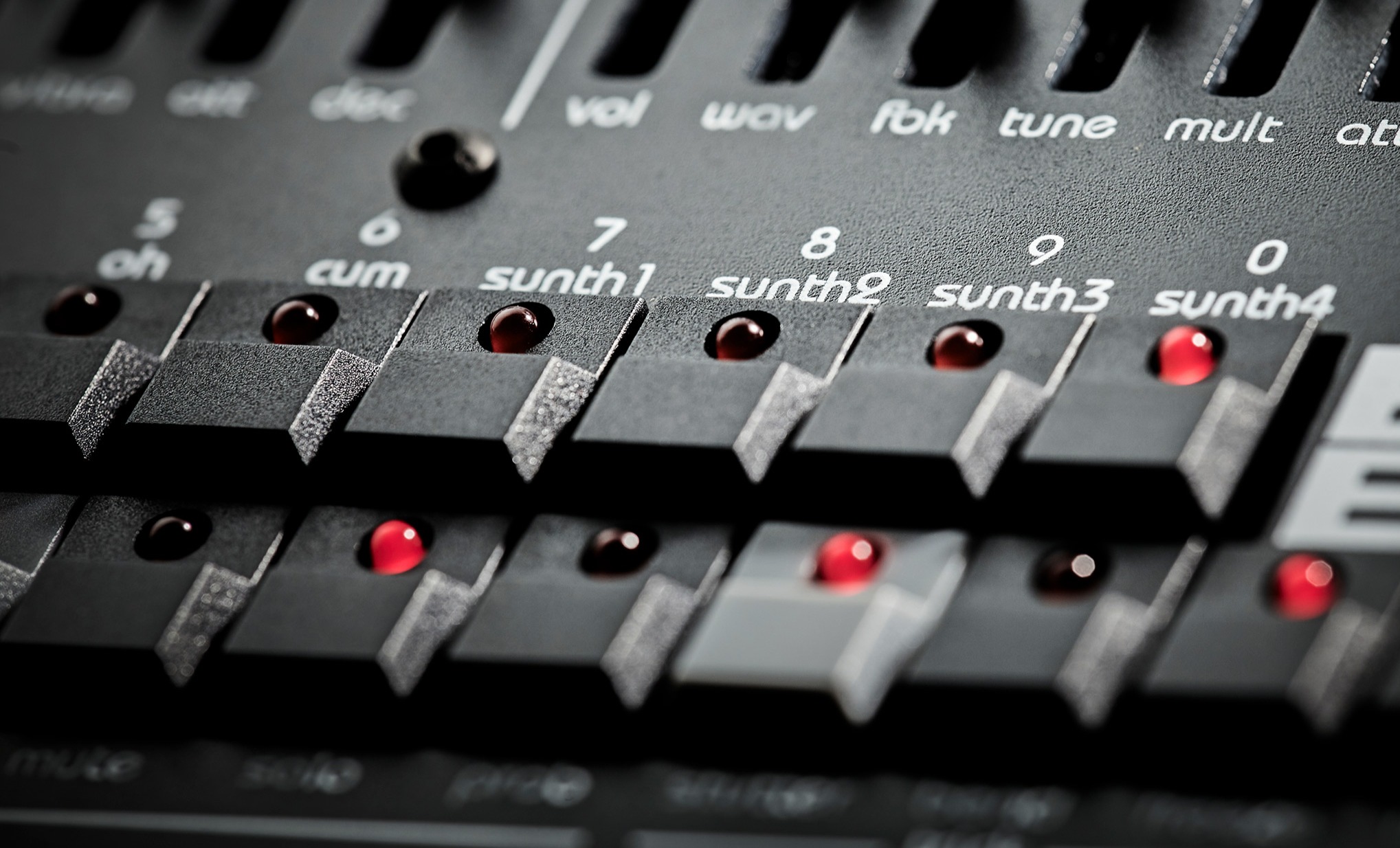
BlastBeats turns the classic OPL3 sound chip into a complete performance groovebox: six FM drum voices, four synth instruments, 64-step patterns, fader automation, per-step tricks, quad outputs, and a browser editor that makes patterns and setup much easier to see.
DOS-era FM, rebuilt for full tracks
At its core is the Yamaha YMF262 OPL3 chip, famous for the sound of early 90s PC audio. BlastBeats pushes that character into a machine built for real songs: kicks, snares, hats, cymbals, toms, metallic hits, basslines, chords, and hooks can all come from the same compact box.
The sound can be tight and punchy, glassy and melodic, or raw and abrasive. More importantly, it keeps moving. Fader automation, tricks, per-step control, kit changes, stutter-minded performance moves, and song chaining make BlastBeats feel like an instrument, not a static drum module.
Pattern editing you can actually read
The browser editor gives the sequencer room to breathe. See the six drum lanes and synth tracks at once, follow dense 64-step ideas visually, and understand what the pattern is doing before you reach for the next mutation.
It is especially useful when a groove gets busy: drum hits, synth notes, repeated movement, and gaps are all visible, so you can refine the pattern without losing the hardware-first workflow.
Settings without menu diving
The settings editor puts the practical studio details on one screen. Map drum notes, set MIDI channels for the drum engine and four synth parts, assign mutes, solos, and program changes, then route drums and synths to the outputs that make sense for your mixer or interface.
That turns setup from a chore into part of the instrument. Build the routing once, tailor MIDI behavior to your controller or sequencer, and get back to making aggressive OPL3 rhythms.
Highlights
- Ten-voice groovebox with six drum voices and four synth instruments
- Vintage OPL3 FM engine with a wide range from clean punch to grime
- Browser pattern visualizer for reading and refining dense drum and synth sequences
- Browser settings editor for drum notes, MIDI channels, mutes, solos, program changes, and output routing
- Fader automation, tricks, and per-step control for live pattern mutation
- Quad audio outputs with flexible instrument routing
- 100 kits with per-step kit changes for dramatic arrangement shifts
- 64-step patterns with song chaining for longer structures
- SD-card based kit workflow for expanding the machine over time
Editor + demos
See the whole groove at once.

Pattern visualizer
Drums and synths in one readable grid.
The BlastBeats editor opens the pattern up visually, so dense 64-step ideas are easier to understand. See the six drum voices and synth tracks together, follow the movement, and refine the groove without guessing what is happening inside the box.
- Read drum hits and synth notes across long patterns
- Spot gaps, repeats, fills, and busy sections quickly
- Use the editor as a clear overview while keeping BlastBeats hands-on

Setup without menu diving
MIDI mapping and output routing in one place.
Map drum notes, choose MIDI channels for the drum engine and four synth parts, assign mutes and solos, and route instruments to the outputs that fit your mixer, interface, or live rig.
- Set drum note mapping for your controller or sequencer
- Control drum, synth, mute, solo, and program-change channels
- Route drums and synths across the quad outputs quickly
Support
Manuals, firmware, and tools.
Everything you need to update it, learn it, and keep it moving.
Updates